
We were delighted to have Michael Goss as our host for this training webinar.
WHAT'S THE EVENT ABOUT? / Come and learn!
Michael Goss is a 40+ year computer professional with vast experience in training others. All the positions he has had over the years involved advanced implementation of technical projects and subsequent training of others on those projects. Mr. Goss has 6 years of experience with the Spooky2 software and hardware. He is very active in the Spooky2 Facebook groups and specializes in helping others, especially non-technical users, with setup and complex hardware issues. His goal is to provide presentations aimed at Spooky2 for Non-Technical Beginners.
The Spooky2 software may seem overwhelming at first, but once installed, you can start using it in under five minutes to address your specific needs. With its wide range of capabilities, using Spooky2 is as simple as selecting a program and running it.
This session focused on the basics, giving you the foundation to build upon. We covered:
➢ Using Presets from the PRESETS tab.
➢ Selecting Programs from the PROGRAMS tab.
➢ Understanding the essential details on the CONTROL tab.
➢ Running your chosen setup on the generators you have.
➢ What if I can’t find a program for my condition?
➢ How do I add frequencies to Spooky2?
➢ How can I import a Preset someone emailed me?
A Q&A session will be held at the end of the course.
There are lots of questions and answers from this training course. Please click here to check the details of the Q&A.
Please click the link to check the slides deck.
Here is the video:
If you have any questions about this live show, please feel free to send us an email at support@spooky2-mall.com.
If you want to become Spooky2 Certificated Trainer, you can contact us at academy@spooky2-mall.com.
If you need one-on-one training service, please feel free to visit
https://www.spooky2academy.com/search-services/
EVENT SPEAKERS /
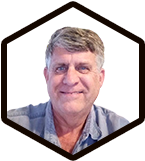
Michael Goss
Trainer
EVENT PRICE LIST / perfect price for event
4 Simple Steps to Running Spooky2
Free
EVENT FAQS / find your answers
This webinar will be started at 09:00 AM Beijing(UTC+8) on 2nd October 2025.
YOU MAY LIKE
Spooky2 Online Training Course – Morgellons & Lyme Protocol (Advanced Level)
held by Nick Dewey on December 30th, 10:00 PM Nanjing, China (GMT+8.00)
free
Spooky2 Online Training Course – Fight Aging for Life — Spooky2 Has Your Back
held by Jörg Prinz on December 23rd, 09:00 AM Nanjing, China (GMT+8.00)
free
Spooky2 Online Training Course – Cancer Protocol(Advanced Level)
held by Debbie Rich on December 18th, 09:00 AM Nanjing, China (GMT+8.00)
free
Spooky2 Online Training Course – Mastering Spooky2 Biofeedback (Advanced Level)
held by Nigel Ryan on December 16th, 10:00 PM Nanjing, China (GMT+8.00)
free
Spooky2 Online Training Course – Spooky2 For Beginners: Colloidal Silver
held by Dr. Siddheshwar Chopra on December 11th, 09:00 AM Nanjing, China (GMT+8.00)
free
